
Outlook not sending emails but webmail works
When Outlook stops sending or receiving emails, but webmail continues to work, it can be confusing and frustrating. It often feels like Outlook itself is broken, even though email is still flowing through the system.
This guide explains why this situation is common in business environments and what it usually means. It is written to help you understand the cause, not to encourage risky fixes.
Before changing anything, check this first
Before trying to fix Outlook, it helps to confirm what is actually working.
First, check whether email sends and receives correctly when you sign in through webmail using the same account.
Second, check whether the issue affects only one computer or multiple devices.
If webmail works and the problem is limited to one device, the email service itself is usually healthy.
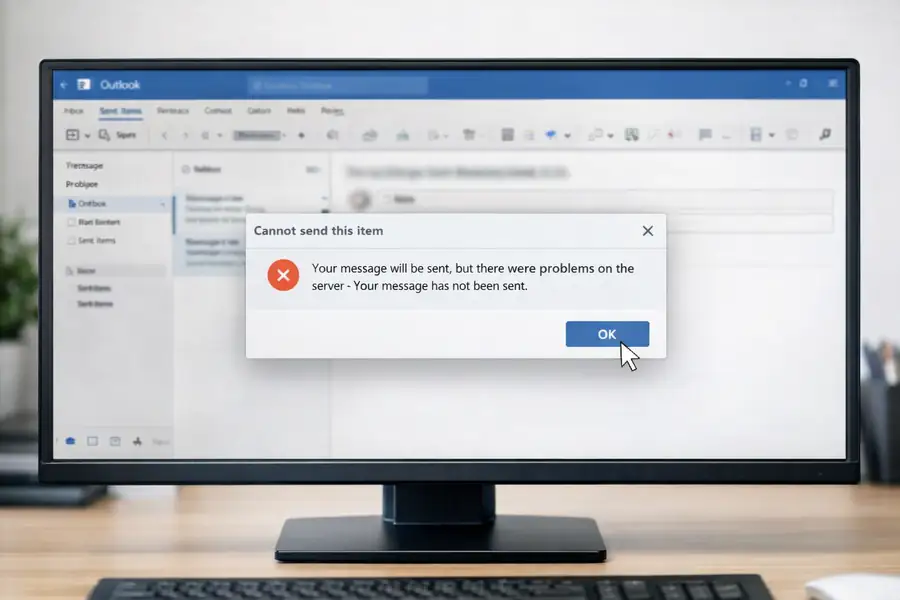
Why Outlook Can Fail When Webmail Does Not
Outlook, as a desktop application, depends heavily on local configurations, cached data, and secure connections, which can be prone to disruptions.
In contrast, webmail operates directly through a browser, connecting straight to the email service, thus bypassing local software issues.
When Outlook malfunctions but webmail remains unaffected, it typically points to a local device or application problem rather than an issue with the email account itself.
Understanding these differences helps explain why Outlook behaves differently from webmail in business environments.
Common causes of Outlook issues in business environments
In business environments, Outlook issues often stem from local profile or cache corruption, which can prevent proper synchronisation.
Additionally, security software or network controls might disrupt secure connections without obvious error messages.
Changes in authentication, such as password updates or multi-factor requirements, can silently cause access issues.
Software updates or add-ins can also impact Outlook’s functionality, even when email services are operational.
Why reinstalling Outlook is rarely the answer
Reinstalling Outlook might seem like a quick fix, but it often leads to more complications. The software is deeply intertwined with your system’s identity and security settings. Removing and reinstalling without a thorough analysis can cause persistent issues and disrupt your workflow.
Before considering a reinstall, it’s crucial to identify the underlying cause of the problem. This approach ensures that any corrective action taken addresses the root issue, preventing future disruptions and maintaining system stability.
When basic checks are not enough
When basic troubleshooting fails, it’s essential to delve deeper into the system’s configuration. This often relates to device configuration, security controls, or software compatibility, which are not always visible from Outlook itself.
In many cases, the underlying cause is not visible from Outlook itself and requires proper assessment to identify. This approach helps avoid repeated disruption and ensures any changes made are appropriate.
When to Get Help
Persistent Outlook issues can significantly impact your business operations. If basic troubleshooting doesn’t resolve the problem, it’s advisable to seek professional help. A detailed assessment by experts can restore system reliability and prevent future complications.
Professional evaluation ensures that security measures are effective and that temporary solutions don’t lead to long-term issues. This proactive approach helps maintain smooth operations and protects your business from potential disruptions.
Related guides and services
If your organisation uses Microsoft 365, our Microsoft 365 support guidance explains how Outlook, email, and identity work together in business environments.
For broader device or connectivity issues, our IT support and network troubleshooting guides provide additional context.
Discuss your situation
Outlook is important to many business workflows, and when problems continue, it is often worth having the situation assessed properly.
A clear assessment helps identify the cause, avoid repeated disruption, and ensure security controls remain effective.
Further Guidance and Support
This guide forms part of a broader layered security approach. For structured guidance on security and resilience planning, see our Security and Resilience page.
For information about practical implementation and ongoing support, you can review our IT services and local IT support coverage across London, Hertfordshire, and Essex.
Author
Elías Sánchez
IT Support Consultant
Evening Computing
London, United Kingdom
This guide was prepared by Elías Sánchez with research and drafting assistance from AI tools. All technical content has been reviewed and adapted for clarity and accuracy.
Last reviewed
17 April 2026