
IT Support for Business-Critical Systems
IT Support involves ongoing responsibility for shared systems such as firewalls, servers, Microsoft 365, cloud services, DNS configuration and managed networks.
It is designed for organisations where reliability, security and continuity affect multiple users at the same time.
Support is provided to organisations and professionals across London, Hertfordshire and Essex, both remotely and onsite depending on the structure of the environment. You can view our local IT support coverage across London, Hertfordshire and Essex on our Local IT Support page.
Watch: What IT Support Actually Covers for Small Businesses
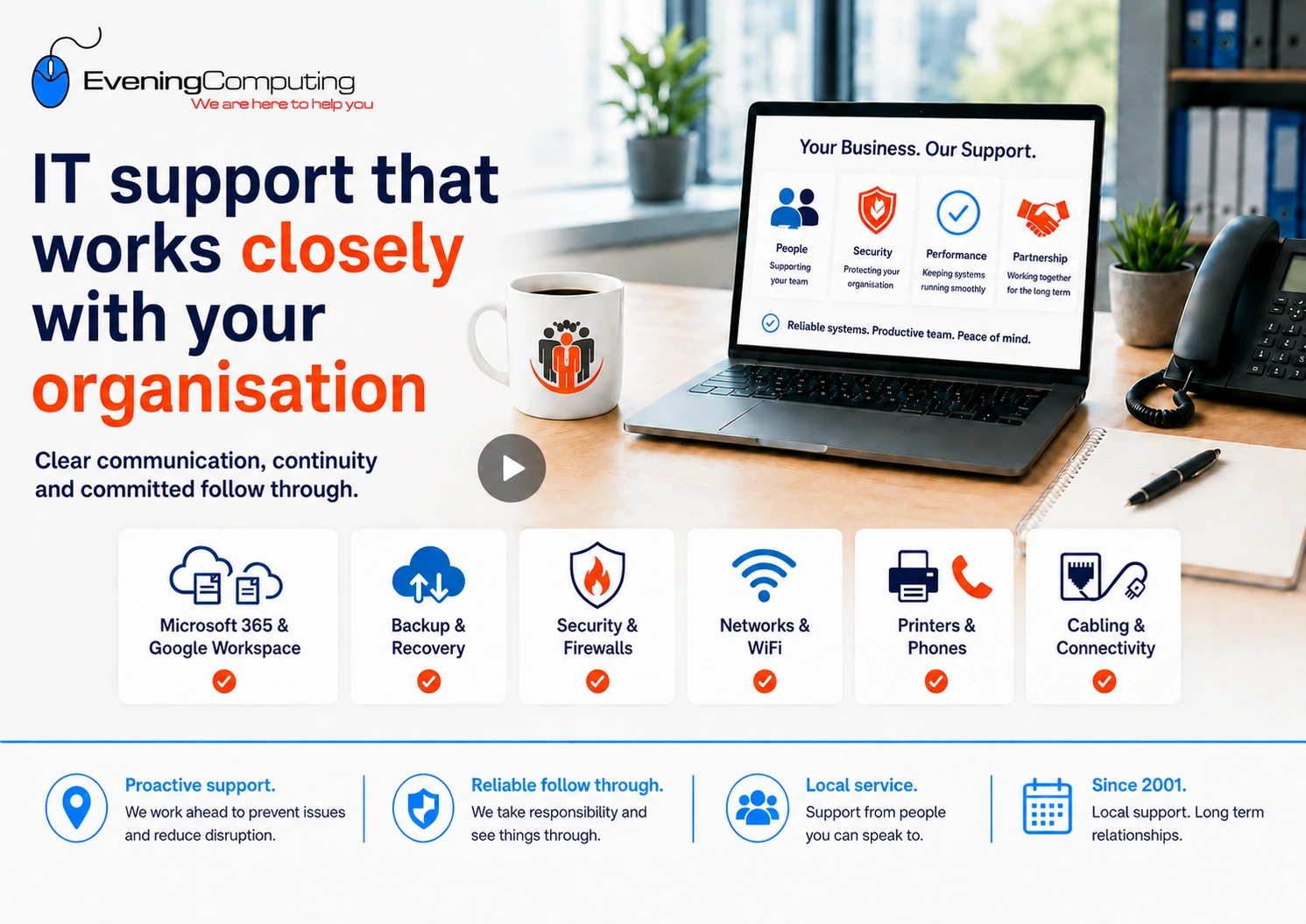
This short video explains the difference between support for one device and wider IT support for shared systems such as Microsoft 365, DNS, hosting, networks, and business continuity.
What IT Support Covers
IT Support applies to environments where systems, services and users are shared across an organisation and require continuous oversight.
Unlike one off computer support, IT Support involves responsibility for shared systems such as firewalls, Microsoft 365 environments, DNS configuration, managed networks and centralised storage.
These systems affect multiple users simultaneously and require consistent management rather than isolated fixes. Changes or failures can impact the whole organisation, not just one device.
Because of this, IT Support includes planning, monitoring, maintenance, security oversight, and risk management over time, rather than simply responding to individual issues when they occur.
IT support for small organisations without in house IT support
Many small organisations rely on computers, Microsoft 365, email, cloud storage, WiFi, printers, backups, security tools and supplier platforms, but do not have dedicated internal IT support.
Even when the first problem appears to involve one computer, the underlying issue may sit in a shared system used by several people. IT Support helps keep these systems understandable, maintained and coordinated over time.
When IT Support is the right fit
IT Support is usually the right fit when a problem affects more than one user, involves shared systems, or requires ongoing oversight rather than isolated troubleshooting.
This often includes situations such as:
-
- Microsoft 365 issues affecting multiple users
- DNS or email configuration changes
- firewall, network, or wireless changes affecting day to day operations
- shared storage, cloud permissions, or account access issues
- recurring problems that appear on different devices but may have one underlying cause
Where the issue only affects one Windows computer or laptop, Computer Support and Repairs may be the more appropriate starting point.
Organisation-Wide Responsibilities
IT Support extends beyond individual devices to the shared systems that keep your organisation operating.
We manage and secure firewalls that protect your business perimeter.
We support servers that host your applications and data.
We oversee DNS records and cloud-based services that keep your online identity and infrastructure running.
We coordinate network infrastructure, backups, and continuity planning.
We also help organisations keep track of the systems that sit between the business and its suppliers, including hosting control panels, DNS providers, cloud admin portals, remote access tools and third party applications that may hold delegated permissions.
IT support also includes oversight of both wired and wireless networks, including access point configuration, segmentation, and integration with security controls where required.
IT Support should also include awareness of what is connected to the wider environment. Printers, cameras, smart TVs, access control systems, environmental sensors, remote access tools and other connected services may not look like traditional computers, but they can still affect security if they are unmanaged, unpatched, poorly isolated or connected to the wrong part of the network.
This matters because modern incidents often move across more than one area. A problem may begin with a device, browser session, account, supplier tool, cloud service or network weakness, and then affect wider systems. For that reason, IT Support is not only about responding to user issues. It also includes understanding dependencies, reviewing access, and reducing the chance that one weak point affects the wider organisation.
A widely reported casino fish tank example shows why this matters: BBC News reported that attackers used a connected aquarium as a way into a casino network, even though more familiar protections such as firewalls and antivirus were already in place.
These are organisation-wide responsibilities that affect operations across your business, not just one user or device.
IT Support may also include communication with third party providers where required, such as internet providers, software vendors, cloud platforms, VoIP providers, hardware suppliers, or hosting companies. In these situations, technical issues are often not isolated to one system, and resolving them may involve coordination across multiple services. Acting on behalf of the organisation helps ensure that technical details are understood, information is communicated clearly, and issues are followed through to resolution.
IT Support may also include reviewing how information moves between systems, such as email, shared storage, supplier portals, cloud applications, backup platforms and remote access tools. This helps identify whether data movement is controlled, understood and recoverable if something goes wrong.
Where the issue expands beyond general support, more specific service areas may also become relevant, including wireless networking, cloud services, security, and network cabling.
These responsibilities are often delivered alongside wider infrastructure, security and cloud services and require specialist judgement because changes to live shared systems can affect users, suppliers, security controls and business continuity.
Ongoing support for connected systems
Modern IT support is not limited to fixing one computer after something stops working. Many everyday systems are connected, including routers, wireless access points, printers, cloud accounts, email, remote access tools, backup systems, security software, websites and supplier platforms.
This matters because some risks begin outside the obvious places. A smart device may be connected to the wrong network. A supplier account may still have access after a project ends. A third party app may hold cloud permissions that are no longer needed. A browser extension, plugin or security tool may have more access than expected.
Recent incidents show why this matters. A hosting platform vulnerability, a compromised plugin update, an over permitted cloud application or a stolen browser session may begin outside the user’s normal support request, but still affect email, websites, files, identity systems or business continuity. IT Support should therefore include enough visibility to identify dependencies before they become difficult to manage.
Ongoing IT support helps keep these areas understandable and maintainable. That includes reviewing connected devices, remote access, updates, supplier access, account permissions, backup arrangements and wider security controls over time.
Related guides:
Shared responsibility and change visibility
Structured IT Support also depends on visibility. The IT support provider, internal decision makers, staff, facilities teams and suppliers all need to communicate when something new is connected or given access.
A new printer, smart TV, camera, thermostat, door entry system, payment device, environmental sensor, cloud app, browser extension, supplier portal or remote access tool may seem minor, but it can still become part of the wider IT environment. If these changes are made without review, the organisation may not know what is connected, who manages it, what access it has, whether it is updated, or whether it can reach more sensitive systems.
For this reason, IT Support is not only about fixing problems after they appear. It also includes helping the organisation maintain a clear view of devices, accounts, suppliers, remote access tools and connected services, so that one overlooked change does not create unnecessary risk for the wider environment.
How IT Support Pricing Works
IT Support pricing reflects the level of responsibility, continuity and specialist knowledge required. Different types of work therefore use different rates rather than a single hourly price for every request.
IT Support can be provided on an ad hoc basis or through an ongoing support arrangement. The appropriate pricing model depends on the nature of the engagement, the systems involved and the level of responsibility required. It is not determined simply by whether the customer is a business.
If a request is genuinely limited to one Windows computer and one user context, our separate Computer Support and Repairs service may be the appropriate starting point.
Business IT Support pricing applies where the engagement extends beyond an isolated single device issue, for example where we are being asked to support users or devices across the organisation, set up staff or business systems, administer Microsoft 365 or other shared services, or take wider responsibility for the IT environment.
Current ad hoc business support rates:
These rates provide a guide for standard ad hoc support. We confirm the scope and expected cost before paid work begins.
Desktop and end-user support: £95 per hour, with a one-hour minimum. After the first hour, additional active support time is charged in 30-minute blocks at £47.50. For example, a session lasting 1 hour and 20 minutes would be charged at £142.50 rather than as a full two hours.
Microsoft 365 administration: £130 per hour, with a two-hour minimum per case. This can include work involving Exchange, OneDrive, SharePoint, accounts, permissions and other Microsoft 365 administration.
Shared cloud, security and network systems can affect several people at once and may require privileged access, planning, testing and consideration of how a change could affect existing services. This is why specialist administration is priced differently from work limited to one local computer.
Onsite support
Technical work onsite uses the applicable support rate, but the overall onsite price can vary depending on the location because travelling time also forms part of the total time required to provide the service. Any significant direct travel costs are also taken into account. We confirm the expected cost before arranging a visit.
Ongoing support
Where an organisation needs regular user support, Microsoft 365 administration, maintenance, security oversight or continuity support, an ongoing monthly arrangement can be scoped after reviewing the users, devices, systems, sites and level of responsibility required.
A monthly support price is therefore not a universal tariff. It is based on the environment, the amount of effort, skill and ongoing responsibility required, and the services the organisation wants Evening Computing to look after.
Defined projects such as migrations, Microsoft Intune implementations, network deployments or other significant changes are separately scoped and priced before work begins.
Looking for computer support or repair for a single device?
IT Support is designed for business environments with shared systems and ongoing responsibility.
If you are looking for help with a single Windows computer or laptop in a home office, small office, or individual work environment, please see our Computer Support and Repairs page for further information.
This distinction ensures that support expectations are aligned with the scale and impact of the systems involved.
IT Support Service Models
IT Support can be structured in different ways depending on what the organisation needs Evening Computing to look after and how much ongoing responsibility is required.
Ad hoc business support
Pay as you go support for defined requirements where there is no ongoing support agreement in place.
Ongoing managed support
A monthly support arrangement covering an agreed environment, users, devices and services. The scope can include normal user support, administration, maintenance, security oversight and continuity responsibilities where these have been included in the agreement. Ongoing support is based on the agreed scope rather than a fixed monthly hours allowance. Normal variation in support demand is accommodated within that scope, while sustained changes in users, devices, systems or responsibilities may require the agreement to be reviewed.
Defined implementation projects
Planned work such as Microsoft 365 migrations, Microsoft Intune deployment, network implementation or other significant changes is scoped and priced separately before implementation begins.
Remote support
Secure supervised remote assistance where the issue can reasonably be investigated or resolved without an onsite visit.
Onsite support
In person technical support where physical access to computers, printers, network equipment or other systems is required. The expected cost is confirmed in advance and takes account of the work required and the location of the visit.
Response expectations, supported users and devices, included systems, exclusions and optional services are defined in the relevant quotation or support agreement.
An ongoing support agreement is not required in order to request ad hoc assistance. The appropriate approach depends on the organisation’s systems, support requirements and the level of continuing responsibility required.
Common IT Support questions
Can IT Support include onsite visits?
Yes. Support may be delivered remotely, onsite, or as a combination of both depending on the systems involved and the type of work required.
Can IT Support help with Microsoft 365 and cloud services?
Yes. Shared systems such as Microsoft 365, cloud platforms, DNS configuration, and network services sit within the scope of structured IT Support where they affect multiple users or wider operations.
Can you help if we are not sure whether the problem is the computer, the network, or Microsoft 365?
Yes. Part of structured IT Support is identifying where the issue originates when symptoms appear across more than one system or user.
What should a small business look for in an IT support provider?
A small business should look for IT support that communicates clearly, understands the wider working setup, and follows issues through properly. This may include Microsoft 365, Google Workspace, email, networks, backups, firewalls, printers, phones, suppliers and day to day user support.
The right provider should help keep responsibilities clear, explain options in plain English, and support continuity as the organisation changes.
Existing client needing remote support?
If Evening Computing has asked you to start a remote support session on your computer, phone or tablet, please visit our Remote Support page for the appropriate Splashtop SOS link and instructions.
What is layered security and why does it matter?
How do cyber attacks usually start in small businesses?
WordPress Hardening for Small Organisations
Can websites in Google search results still be dangerous?
Are passkeys and security keys the same thing?
Why trusted services can still be used in cyber attacks?
Access all our IT Guides and Resources for Small Businesses and Individuals
Reviewing Your IT Support Requirements
If you would like your current IT environment reviewed to determine the appropriate level of ongoing responsibility, you are welcome to get in touch.