
IT Guides and Resources for Small Businesses
Practical IT guides explaining how technology problems and security risks occur across websites, email systems, cloud services, devices and local networks used by organisations, professionals and individuals.
These guides usually start with what the user can see, then explain the system behaviour behind it.
They focus on how systems normally behave, why certain problems occur, and what realistic steps help restore stability or reduce risk.
Some issues appear to affect one device but are actually linked to shared systems such as email platforms, cloud services, DNS, website configuration or network infrastructure. Where that happens, structured IT support may be required rather than isolated troubleshooting.
Explore how structured IT support and infrastructure services help maintain business-critical systems across London, Hertfordshire and Essex.
If you are reviewing support options in a specific area or exploring the broader services we provide, you can view the towns we cover and our full services framework below.
Local IT Support for Businesses Across London, Hertfordshire and Essex
Browse guides by topic
This page groups our guides by topic so you can move more quickly to the areas most relevant to your question or concern. Use the links below to jump to each guide section.
- Security, Infrastructure and Online Accounts
- Email, Microsoft 365 and Collaboration Systems
- Security and Online Threats
- Websites, WordPress and Online Services
- Networks, Internet Connectivity and Infrastructure
- Computers, Devices and Software
- Opinions and Practical Lessons
- Reviewing a Technical Issue
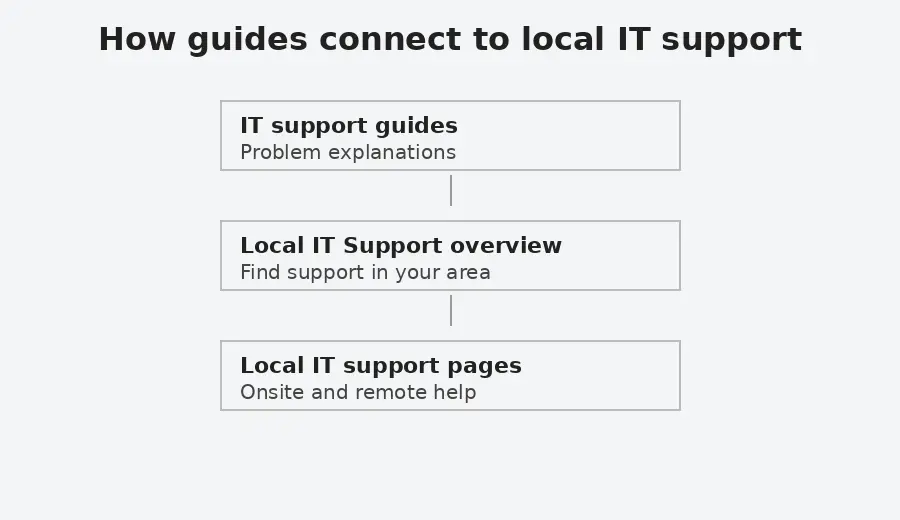
This diagram shows how practical IT issues can connect to local support and, where necessary, to broader IT support for shared business systems.
Security, Infrastructure and Online Accounts
Guides explaining core security concepts, managed browser controls, internet infrastructure, account protection, backup, and layered security in practice.
Guides:
What is layered security and why does it matter
Explains what layered security means and why modern technology depends on multiple overlapping controls. Covers websites, devices, networks, browsers, accounts, backups, and third party services.
How do cyber attacks usually start in small businesses?
Explains common ways cyber attacks begin in small business environments, including phishing, weak accounts, exposed services, supplier access and misleading support routes. Outlines why layered security, monitoring and recovery planning need to work together rather than relying on one control.
Can smart devices be a security risk?
Explains how smart devices and ordinary network connected equipment can create security risks when they are unsupported, poorly configured, or connected to sensitive systems. Covers routers, cameras, printers, smart TVs, thermostats, NAS devices and similar equipment, with practical steps for reducing exposure.
Can Microsoft Defender flaws put Windows devices at risk?
A sensible starting point is to keep Microsoft Defender active, keep Windows devices fully patched, and review whether surrounding controls are strong enough to support it when one weakness appears.
Should PowerShell execution policy be Unrestricted on the whole machine?
Explains what PowerShell execution policy does, why setting Unrestricted across the whole machine is often too broad, and how to interpret common results in plain language. Also outlines what settings such as RemoteSigned do and do not tell you, so the topic is understood as part of wider security rather than as a single hardening step.
How to improve browser security in Chrome and other browsers
Explains how browser security and privacy settings work in Chrome and other browsers, including permissions, extensions, Secure DNS, browser fingerprinting, and cookies. Also outlines what these controls can reduce, what they do not prevent, and how to review browser exposure more carefully.
What Does a Website Security Certificate Actually Prove?
Explains how website security certificates, Certificate Authorities and trust stores work together when a browser validates an HTTPS connection. Covers certificate chains, root and intermediate certificates, common certificate warnings, and why a valid certificate does not prove that a website itself is safe or reputable.
Norton Safe Web and websites not loading in Chrome. What should you check?
Explains what to check when Norton Safe Web, Chrome, Edge, DNS filtering or browser protection may be involved in websites loading slowly or not loading. Covers a recent troubleshooting pattern, the temporary Safe Web workaround and why security features should not be left disabled without review.
What is a PWA, and is it safe to install?
Explains what a PWA is and why a website may ask you to install one. Covers when a PWA can be useful, when it may be risky, and what individuals and small businesses should check before accepting the prompt.
Why won’t Chrome ADMX templates import into Intune?
Explains why Chrome ADMX template imports can fail in Microsoft Intune, including missing Windows or Google template dependencies and namespace errors. Covers the correct import order for Windows, Google and Chrome templates, language file checks, and how the issue fits into managed browser policy.
What is NextDNS and what does it do?
Explains what NextDNS is, what it does, how DNS filtering works, what it can help block, and where its limits are. Also outlines how it differs from broader platforms such as Cloudflare and where it fits in layered security.
Why DNSSEC matters and how DNS attacks can redirect internet traffic
Explains how the Domain Name System (DNS) directs internet traffic and why attackers sometimes attempt to manipulate DNS responses. The guide outlines how DNS poisoning and related attacks can redirect users to fraudulent systems and how DNSSEC introduces cryptographic verification to help ensure DNS answers are authentic.
Email validation and security explained
Plain English explanation of SPF, DKIM, DMARC, and MTA-STS, with guidance on when to review email security settings.
How to read a DMARC record and choose the right policy
Explains how to read a DMARC record, what the main policy and reporting values mean, and why SPF and DKIM alignment matters. Outlines what to check before using stricter settings such as p=reject, strict alignment, or stronger SPF records.
Does Having a DMARC Record Mean Your Domain Is Protected?
Explains why a domain can have a DMARC record but still only be monitoring email rather than enforcing protection. Covers p=none, sender discovery, SPF and DKIM alignment, and why DMARC should be treated as a staged review rather than a single DNS change.
Is Email Always Encrypted in Transit? What MTA-STS Changes
Explains why email is often encrypted in transit but is not always subject to a strict encryption requirement. It outlines how MTA-STS works with STARTTLS and TLS-RPT, what happens when senders do not support it, and how it differs from SPF, DKIM, DMARC and DANE.
Cloud Storage vs Backup. Why Sync Is Not Backup
Explains the difference between synchronisation and proper backup, how deletion and ransomware can propagate in cloud storage, and why independent versioned backup matters.
Email, Microsoft 365 and Collaboration Systems
Guides related to email platforms, Outlook behaviour, authentication policies, Microsoft 365 collaboration, shared documents, Teams, OneDrive and SharePoint.
Guides:
What should a small business check about its email setup?
Explains what small businesses should review when using personal email accounts, hosted IMAP mailboxes or business cloud email. Covers account ownership, contacts and calendar synchronisation, shared access, staff changes, backup and when Microsoft 365 or Google Workspace may be more appropriate.
What should a secure Microsoft 365 setup include for a small business?
Explains the Microsoft 365 security controls small organisations should consider, including administrator separation, MFA, application access, email security, Intune, Defender and backup. It distinguishes Microsoft and NCSC guidance from additional implementation choices that may be appropriate for a particular organisation.
Email not working for your business. What to check first
A clear, non technical guide explaining why business email stops working and what to check before making changes. Helps identify whether the issue is local, account related, or system wide.
Outlook not sending emails but webmail works
Explains why Outlook can stop sending or receiving emails even when webmail works correctly, and how to recognise when the issue is local to one device rather than the email service itself.
Outlook calendar and contacts do not sync to iCloud
If Outlook calendar and contacts are not syncing with iCloud, this guide explains common causes, including error 0x800706ba, safe checks to try first, and when help is needed.
Printer or scanner cannot send email using Google Workspace
Explains why printers and scanners often stop sending email when using Google Workspace, following security changes. Outlines the available options at a high level and explains when assessment is needed, without step by step configuration.
Microsoft Teams issues for external users and guests
Explains common limitations affecting external users and guests in Microsoft Teams, including recordings and file access.
Solution to the Disappearing Bullet Points in Microsoft Outlook
Fixes an Outlook issue where second level or nested bullet points disappear after sending emails.
Excel Asking You to Save With a Different Name in OneDrive or SharePoint
Why Excel prompts you to save a shared file with a different name in OneDrive or SharePoint, and how to restore normal collaboration safely.
Why are shared documents not updating in SharePoint or OneDrive?
Explains why shared documents may not show another person’s changes when opened through SharePoint, OneDrive or the Office desktop apps. Covers AutoSave, encrypted files, read only behaviour, document protection, sensitivity labels and practical checks before changing the original file.
Security and Online Threats
Guides explaining security risks, scams, malware, account compromise, and practical account protection topics.
Guides:
What to do if you think your Microsoft 365 account has been compromised
Explains what to do when a Microsoft 365 work or school account may have been compromised, including immediate containment, session and token risks, device-code phishing, mailbox and file investigation, and recovery checks. It also explains why a genuine Microsoft sign-in page or successful MFA does not by itself prove that the sign-in request was safe.
Are passkeys and security keys the same thing?
This guide explains the difference between passkeys and security keys in plain language. Covers synced passkeys, hardware bound passkeys, YubiKeys, and why the terms are often confused.
How YubiKeys work and how to configure them in Intune and Entra ID
Explains what YubiKeys are, how they relate to passkeys, and how they are configured in Microsoft Intune and Microsoft Entra ID. Covers attestation, AAGUID restrictions, Conditional Access, rollout planning, and practical limitations to review before wider deployment.
Can money be taken from a locked phone using contactless payment?
Explains when contactless payments from a locked phone are possible, how NFC and Express Mode affect risk, and which settings are worth reviewing on Android and iPhone. Also outlines what physical shielding can and cannot do, so the topic is understood as part of wider layered security.
Fake CAPTCHA Malware on WordPress Websites Explained
This guide explains how fake CAPTCHA malware appears on compromised WordPress websites, how it attempts to trick visitors into running malicious commands, and what practical security controls reduce the risk of recurrence. It includes immediate containment steps and longer-term hardening measures based on real-world incident patterns.
Google Advanced Protection: How Does It Protect Your Gmail and Google Account?
Explains how Google Advanced Protection strengthens the security of Gmail and Google accounts through passkeys, security keys and additional safeguards. Covers its limitations, compatibility changes and what to check before enrolment.
WhatsApp security guide. How to protect your account and device
Explains practical steps to reduce the risk of account takeover, protect sensitive messages, and limit exposure if a phone is lost or stolen.
WhatsApp Verification Code Scam Explained
Explains why attackers request WhatsApp verification codes, how the scam works, and what steps to take if you receive or accidentally share a code.
How to Check if Someone Is Using WhatsApp Web on Your Account
Explains how to check whether WhatsApp Web or desktop sessions are connected to your account and how to safely log out of devices you do not recognise.
How to Check if Your WhatsApp Account Has Been Hacked
Explains the common signs that a WhatsApp account may have been compromised and how to confirm whether another device may be accessing your messages.
Stop People Adding You to WhatsApp Groups
Explains why people may add you to WhatsApp groups without permission and how to control group invitations using WhatsApp privacy settings.
Your Phone Number Was Registered With WhatsApp on a New Device
Explains why WhatsApp may report that your phone number has been registered on a new device, what situations normally trigger this message, and how to confirm whether your account remains secure.
Are QR Codes Safe? How to Check Before You Continue
Explains what QR codes do, why a familiar code cannot prove who created it, and how malicious codes can hide links, payment requests or device linking actions. Outlines what to check before continuing and what to do after a suspicious scan.
How to check if a download is safe when everything looks legitimate
A practical guide using the recent fake 7-Zip installer case to explain what you can realistically check and how to reduce risk if detection lags.
Why trusted services can still be used in cyber attacks
Explains why email platforms, document links, cloud tools, browser extensions, supplier portals and website services can still be used in cyber attacks. Outlines how trust is abused and what small organisations can review across accounts, permissions, data movement and recovery.
Can a genuine WeTransfer email still be dangerous?
Explains why a genuine WeTransfer notification does not confirm the identity of the sender or the safety of the file. Outlines practical checks for lookalike domains, unexpected file types, new sales contacts and safer document verification.
How do software supply chain attacks happen?
Explains how software supply chain attacks can happen when trusted tools, plugins, developer workflows or third party services are compromised. Covers developer tools, security tools, tokens, API keys, supplier access and practical steps for reducing unmanaged trust.
Can websites in Google search results still be dangerous?
Explains how unsafe or compromised websites can still appear in search results, how they behave once opened, and what to check before interacting with unfamiliar pages.
How to reduce the risk from unsafe browser extensions
Explains how browser extensions introduce risk, how permissions work in practice, and how to review and manage extensions safely over time.
Explains why PDF files can still be used in real attacks, how trusted document workflows are sometimes abused, and what protection layers help reduce risk. Also outlines the limits of PDF hardening so the topic is understood as part of wider security, not as a single setting or permanent checklist.
Websites, WordPress and Online Services
Guides covering website security, hosting behaviour, and web infrastructure.
Guides:
WordPress Hardening for Small Organisations
Explains the practical security controls that help reduce risk on WordPress websites, including correct file permissions, access controls, configuration settings, and monitoring. Outlines what to verify in a typical hosting environment and how these measures support ongoing website stability.
Wordfence Security Settings Review
Explains how to review essential Wordfence security settings in a structured way. Covers firewall configuration, login protection, file integrity monitoring, and alert discipline within a layered security approach.
WordPress security headers explained. How to add them safely
Learn how browser enforced security headers work, how to implement them safely in WordPress, and how to verify they are active using Chrome DevTools.
What Do the Yoast SEO Settings Mean in WordPress?
Explains what the main Yoast SEO settings mean when editing a WordPress page, including focus keyphrases, search appearance, readability, schema, social previews and advanced controls. It distinguishes between settings that change page metadata, tools that analyse the writing and previews that do not guarantee how search engines or social platforms will display the page.
sprites core SVG 404 error in WordPress and Divi
Explains why a sprites core SVG 404 error may appear in browser consoles or audit reports on WordPress and Divi sites, what it means in practice, and when action is required.
Why a page is missing from the Yoast sitemap
Explains why a published WordPress page can be missing from the Yoast XML sitemap, and the canonical URL detail that is commonly overlooked.
Why is the Yoast XML sitemap not loading in WordPress?
Explains what to check when a Yoast XML sitemap index works but an individual sitemap such as page-sitemap.xml does not. Covers safe error logging, PHP execution timeouts, Yoast sitemap processing, Divi and plugin involvement, caching, and a real resolved WordPress troubleshooting case.
Bing reports HTTP 400–499 errors on my website
Why Bing can report HTTP 400–499 errors even when a site works normally, how Cloudflare settings like Browser Integrity Check can affect scans, and how to verify results safely.
Networks, Internet Connectivity and Infrastructure
Guides explaining how networks and internet infrastructure affect systems.
Guides:
Laptop connected to WiFi but no internet
Explains why a laptop can show a WiFi connection while internet access is unavailable, and how to understand whether the problem is local, network related, or external.
Why does Windows 11 say the network username or password is incorrect?
Explains why Windows 11 may report that a network username or password is incorrect even when the credentials are valid. Covers SMB checks, ordinary and administrative shares, UAC remote restrictions, and changes affecting the built-in Administrator account.
Understanding internet access in offices, hotels, and public places
A plain-English guide explaining office internet, mobile hotspots, public Wi-Fi risks, and how to connect devices more safely.
What does a VPN protect you from, and does it slow down your internet?
Explains what a VPN actually changes, what it can and cannot protect, and how it relates to HTTPS, public Wi-Fi, DNS and corporate remote access. Also covers speed, latency, split tunnelling and when a VPN is a sensible part of layered security.
Fixing Paramount Plus playback issues when using NextDNS
If Paramount Plus does not work on an LG TV, Sky TV box, or web browser while using NextDNS, this guide explains why and how to restore streaming without disabling DNS protection.
ChatGPT not working in Firefox. What to check and what helps
Why ChatGPT may stop working in Firefox, common symptoms, and realistic workarounds without weakening security.
How to access CCTV from a computer or web browser
If you can view your CCTV on your phone but not on a computer, this guide explains why that happens and what access options are realistically available today.
Computers, Devices and Software
Guides explaining common issues affecting computers, phones, routers, software, and everyday device behaviour. These include Windows upgrade limitations, OneDrive folder behaviour, device migration, system performance, and realistic options when devices or software reach the end of their supported lifecycle.
Guides:
Can I use my own router with my ISP connection?
Explains when a third party router can replace an ISP router, when bridge mode or modem only mode is the cleaner design, and when DMZ may be the next best option. Also outlines what common terms such as ISP, private IP address, public IP address, static IP address, and dynamic IP address mean so the design choices are easier to understand.
Windows 10 is no longer supported. What are your options?
Explains what Windows 10 end of support means, why some devices cannot upgrade to Windows 11, and what supported options exist.
Computer running slow. What actually helps
Explains the most common reasons a computer becomes slow, what checks are worth doing first, and what usually helps in practice without assuming the device needs to be replaced.
How to move to a new Android phone without losing data
Explains how to move to a new Android phone without losing important data. Covers storage checks, cable transfer, SMS migration issues, WhatsApp backup and restore, Google Discover on Samsung phones, and what to review before converting from a physical SIM to an eSIM.
Why can’t I move my Documents folder out of OneDrive?
Explains why Windows may stop Documents, Pictures or Desktop from moving out of OneDrive or returning to their default folders. Covers the access denied folder redirection error, what to check before changing folder paths, and why registry correction should only be treated as an advanced recovery step.
Opinions and Practical Lessons
Opinion-led guides based on practical IT support experience, certification work, security decisions and lessons learned from real small business and charity environments.
Guides:
Is Cyber Essentials Worth It for Small Businesses and Charities?
Explains why Cyber Essentials can feel repetitive and imperfect while still being useful as a practical security baseline. Covers the difference between answering the questionnaire and making the underlying controls true, including costs, limits, readiness work and lessons from real certification experience.
Reviewing a Technical Issue
If a technical issue appears to affect shared systems, email flow, cloud platforms, website behaviour, or operational continuity, you can provide details so we can review whether structured support is required.