
Security and Resilience
When email, shared files, customer data, websites, payment systems or supplier platforms become unavailable or misused, the issue is no longer only technical. It can affect how the organisation continues operating.
Security and resilience work looks at what the organisation depends on, what could cause disruption, and how access, data and systems would be protected or recovered.
We help organisations reduce risk and improve their ability to recover from incidents such as hardware failure, data loss, ransomware, accidental deletion or service disruption.
Security and resilience are not single products. They are the result of layered controls, realistic planning and ongoing oversight based on how an organisation actually operates.
This page explains when these services are needed, what they typically involve, and how they relate to wider IT support and cloud systems.
What security and resilience mean in practice
The practical question is not only whether a system is protected. It is what would happen if that system became unavailable, misused, difficult to access or difficult to recover.
Cyber resilience is also a business continuity issue. If email, cloud access, shared files, websites, payment systems or supplier platforms are unavailable or misused, the impact may affect operations rather than only individual devices. Security and resilience work should therefore consider how the organisation would continue operating, communicate with users and suppliers, and recover access if an incident affects shared systems.
This is why security decisions should be linked to operational impact rather than treated only as technical spending. A small organisation does not need every possible control, but it does need to understand which systems would cause the greatest disruption if they were unavailable, misused or difficult to recover.
The areas below show how security and recovery are applied in practice rather than as isolated controls.
The areas below show the main ways security and recovery are applied in practice. Each one addresses a different part of the same question: how does the organisation reduce risk, limit disruption and recover when something goes wrong?
Data Backup Solutions
Support reliable data protection and recovery where data must remain recoverable after deletion, device failure, ransomware, synchronisation problems or wider service disruption.
This is typically appropriate where data needs to be recoverable beyond basic file synchronisation or device level backups.
Advanced Access Control
Improve account security and permissions where users, suppliers, administrators or shared systems need controlled access to business data and services.
This is typically appropriate where account security, permissions and access need to be controlled across users or systems.
Continuous Monitoring
Provide system and service monitoring where appropriate to help identify early signs of failure, misuse, unusual behaviour or security related changes.
This is typically appropriate where systems need to be observed so issues can be investigated before they become larger disruptions.
Recovery Planning
Plan and test recovery processes so systems, data and access can be restored more predictably after disruption.
This is typically appropriate where downtime must be limited and systems need to be restored within defined timeframes.
When security and resilience services are needed
Security and resilience services are typically required in situations such as:
- data loss, ransomware, or recovery concerns
- uncertainty about whether backups are reliable or usable
- increasing reliance on shared systems, cloud services, or remote access
- concerns about account security, phishing, or unauthorised access
- lack of visibility into system behaviour or potential threats
- use of personal or unmanaged devices to access business email, cloud files, customer data, supplier portals or administrative systems
- business operations that cannot tolerate extended downtime
- reliance on third party platforms, hosting providers, plugins, cloud applications or supplier tools that hold administrative access or sensitive permissions
Network design
Network design also plays an important role in security and resilience, particularly where systems rely on shared connectivity.
Wireless Network Design and Deployment
Network segmentation, including the use of VLANs across wired and wireless networks, is an important part of reducing risk and limiting the impact of incidents.
A network review should include not only laptops and servers, but also devices that other teams, suppliers, installers or facilities contractors may have connected. Printers, cameras, smart TVs, access control systems, environmental sensors, guest wireless, payment devices and remote support tools can all become part of the risk picture if they are not identified, reviewed and placed correctly.
Connected systems such as CCTV, access control, smart displays and conferencing equipment should also be included in the security view. They may involve personal data, remote access, cloud accounts, shared passwords, supplier access, default settings, recording permissions or public visibility. These systems are sometimes installed for convenience, but they still need appropriate configuration, access control and ownership.
The casino fish tank example shows why this matters. BBC News reported that attackers used a connected aquarium as a way into a casino network, even though the organisation had more familiar protections such as firewalls and antivirus in place. The issue was not a traditional workstation, but an overlooked connected device linked into the wider environment.
Where security and resilience concerns relate to wider systems, infrastructure, or ongoing oversight, these services often work alongside structured IT Support.
A Video Introduction to Layered Cybersecurity
This short video provides a practical overview of how layered cybersecurity works across systems, devices, and services. It outlines how firewall configuration, endpoint protection, access control, encryption, monitoring and backup work together rather than independently.
While a short video cannot cover every technical detail, it introduces the core principle that effective security relies on coordinated layers rather than a single control.
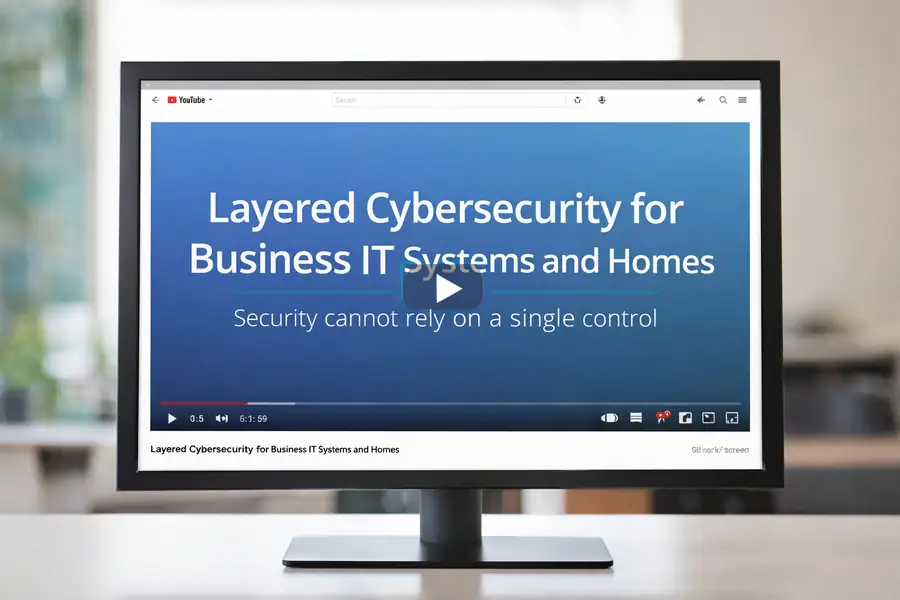
How layered security works in practice
Security and resilience are achieved through multiple coordinated controls rather than a single protective measure. For example:
Backup protects data integrity and recoverability beyond simple file synchronisation.
Access control reduces unauthorised account access.
Network segmentation limits lateral movement.
Monitoring, including intrusion detection and prevention systems (IDS/IPS), helps identify abnormal behaviour early.
Recovery planning ensures systems can be restored within acceptable timeframes.
The appropriate balance depends on how systems are used, how critical data is to operations, and how much disruption can realistically be tolerated.
No system is risk-free. The objective is controlled risk reduction and realistic recovery planning. A more detailed explanation of how layered security works in practice can be found in our layered security guide.
The distinction between synchronisation and proper backup is explained in our guide on cloud storage vs backup.
Network segmentation, secure configuration and ongoing monitoring form part of our broader IT services and infrastructure approach.
These controls form part of structured IT support environments where shared systems require ongoing oversight, monitoring and coordinated management rather than isolated configuration.
These controls are not applied in isolation. The appropriate combination depends on how systems are used and how critical they are to business operations.
Security also depends on visibility
Some security risks are difficult to manage with static blocking alone. Attackers may use ordinary internet connected devices, trusted tools, compromised suppliers or legitimate cloud permissions to make activity harder to recognise.
Security and resilience work should therefore include visibility as well as protection. Organisations need to understand what devices are connected, which accounts have elevated permissions, which suppliers have access, which third party apps are approved, whether old tools or integrations are still needed, and how access can be changed if something becomes a concern.
This is increasingly relevant where staff use cloud services, browser extensions, AI tools, supplier portals, online meeting platforms or third party applications that request access to organisational data. The issue is not only whether the service is useful, but what permissions it has, who approved it, whether it is still needed, and what would happen if that service or account were compromised.
Data movement should also be included in this review. Files and records may move through email, shared drives, supplier portals, unmanaged cloud links, website forms, automation tools and business applications. The practical question is not only where the data is stored, but who can move it, where it can be sent, whether that movement is logged, and whether it is properly controlled.
That does not mean every smart device, plugin, meeting tool or third party service is unsafe. It means these items should be included in the wider security view rather than treated as separate from it.
Related guides:
Can smart devices be a security risk?
Why all stakeholders need to be involved
Security and resilience depend on more than technical controls. They also depend on communication between the people who make changes to the environment.
An organisation may have good firewall rules, endpoint protection, backup, access control and monitoring, but those controls can be weakened if new devices, services or supplier tools are introduced without review. A facilities contractor may install a sensor. A staff member may connect a smart TV. A supplier may request remote access. A department may adopt a cloud app. Each change may appear small on its own, but it can still affect the wider security model.
Security weaknesses often begin as convenience decisions. A device may be set up with a simple password while it is being tested. A screen lock may be left disabled because it feels inconvenient. A shared password may be written in a notebook, drawer, sticky note or visible place because it helps people work quickly. These shortcuts may feel harmless at the time, but they can become long term risks if nobody is responsible for replacing them with proper controls before the system is used for real work.
A safer approach is to configure security before a device, account or service becomes operational. That includes strong unique passwords, MFA or two step verification where available, screen locking, encryption, appropriate endpoint protection, restricted access and a clear record of who owns the system. Temporary testing arrangements should have an expiry point and should not become the live security model.
This is why all relevant stakeholders should be involved in security decisions. Management, staff, facilities teams, external suppliers and IT support all need a simple process for reporting new devices, apps, integrations and remote access requirements before they become part of the live environment.
The aim is not to slow the organisation down. The aim is to make sure that connected devices and services are placed correctly, given only the access they need, reviewed for support and update risks, and included in recovery and monitoring plans where appropriate.
Stakeholder involvement should also define ownership after the change is made. If a device, cloud service, supplier account, meeting platform, CCTV system or remote access tool becomes part of the working environment, the organisation should know who approved it, who manages it, who can change its access, who receives alerts or renewal notices, and how it can be disabled or removed if it becomes a concern.
Security and resilience also depend on accountability. Where decisions about devices, suppliers, cloud services, CCTV, online meetings or access permissions are made without technical oversight, risks may remain unresolved even after they have been identified. A practical security review should therefore consider not only which controls exist, but who is responsible for approving, maintaining, reviewing and, where necessary, removing access to those systems.
Why modern incidents can cross several systems
Modern security incidents do not always stay inside one technical area. A problem may begin with a browser session, unsafe download, stolen credential, supplier tool, cloud permission, remote access service, unmanaged device or network weakness. From there, the impact can move into email, cloud storage, identity systems, SaaS platforms, devices or shared files.
Palo Alto Networks Unit 42 reported that 87% of more than 750 incident response engagements involved activity across multiple attack surfaces, including endpoints, networks, cloud infrastructure, SaaS applications and identity. The practical lesson is that security and resilience cannot depend on one control alone.
For that reason, the areas on this page should be reviewed together rather than as separate tasks. Backup, access control, monitoring, network segmentation, endpoint protection, encryption, supplier review, identity controls and recovery planning all reduce different parts of the risk. No single control replaces the others, and the value comes from how these layers support prevention, detection, limitation of impact and recovery.
What security and resilience support does and does not include
Security and resilience support typically includes risk assessment, backup strategy, access control, monitoring, recovery planning, and coordination of layered controls across systems.
It does not automatically include full responsibility for wider IT infrastructure or day-to-day system management. Where systems require ongoing oversight, coordination across suppliers, or responsibility for shared environments, structured IT Support may be more appropriate.
Where the issue is limited to a single device, Computer Support may be a more suitable starting point.
Integrated Security and IT Solutions
Cloud and Productivity Services
Cloud services that support email, shared files, permissions, identity and business continuity across wider IT environments.
IT Support
Structured IT support for shared systems, users, suppliers and ongoing operational oversight.
Practical examples of layered security can be seen in areas such as browser security headers, which help reduce risks such as clickjacking and content type misuse. We explain what they do and when they are appropriate in our guide: WordPress security headers explained.
Choosing the right starting point
Different situations may require different types of support:
- If the concern is primarily about risk, recovery, backup, or resilience, Security and Resilience services may be the right starting point.
- If the issue involves cloud platforms such as Microsoft 365, email, or shared storage, Cloud Solutions may be more appropriate.
- If systems require ongoing management, coordination, or responsibility across multiple users, IT Support may be required.
- If the issue affects only one device, Computer Support may be the more appropriate starting point.
If the situation is unclear, the most appropriate starting point can be identified following an initial review.
What to expect from an assessment
A structured assessment reviews current systems, identifies vulnerabilities, configuration weaknesses, recovery limitations and operational dependencies.
The outcome is a practical set of recommendations showing which controls, recovery steps or service changes are appropriate for the environment.
Recommendations should consider operational impact, cost, risk reduction and practical implementation.
All recommendations are explained clearly so that decisions can be made with a full understanding of impact, cost, and practical implementation.
Request an assessment
Request a structured assessment to review current controls, recovery planning and risk exposure.