
IT Support for Business-Critical Systems
IT Support involves ongoing responsibility for shared systems such as firewalls, servers, Microsoft 365, cloud services, DNS configuration and managed networks.
It is designed for organisations where reliability, security and continuity affect multiple users at the same time.
Watch: What IT Support Actually Covers for Small Businesses
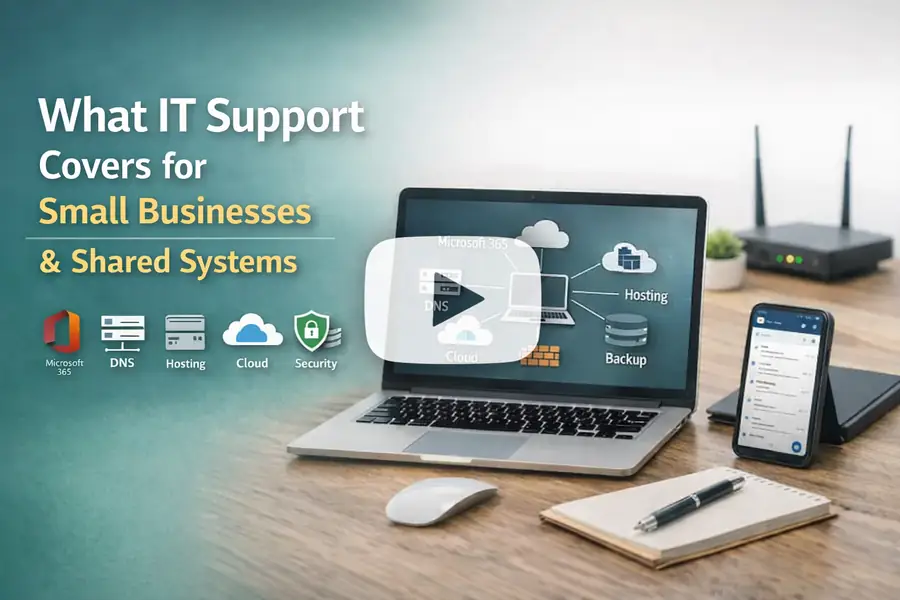
This short video explains the difference between support for one device and wider IT support for shared systems such as Microsoft 365, DNS, hosting, networks, and business continuity.
What IT Support Covers
IT Support applies to environments where systems, services and users are shared across an organisation and require continuous oversight.
Unlike one-off computer support, IT Support involves responsibility for shared systems such as firewalls, Microsoft 365 environments, DNS configuration, managed networks and centralised storage.
These systems affect multiple users simultaneously and require consistent management rather than isolated fixes. Changes or failures can impact the whole organisation, not just one device.
Because of this, IT Support includes planning, monitoring, maintenance, security oversight, and risk management over time, rather than simply responding to individual issues when they occur.
Organisation-Wide Responsibilities
IT Support extends beyond individual devices to the shared systems that keep your organisation operating.
-
We manage and secure firewalls that protect your business perimeter.
-
We support servers that host your applications and data.
-
We oversee DNS records and cloud-based services that keep your online identity and infrastructure running.
-
We coordinate network infrastructure, backups, and continuity planning.
- IT support also includes oversight of both wired and wireless networks, including access point configuration, segmentation, and integration with security controls where required.
These are organisation-wide responsibilities that affect operations across your business, not just one user or device.
These organisation-wide responsibilities are often delivered alongside wider infrastructure, security and cloud services as part of a coordinated IT framework. These responsibilities also require specialist technical judgement and accountability, because changes to live shared systems can affect multiple users, security controls, supplier integrations, and business continuity.
How IT Support Pricing Works
IT Support is priced based on the level of responsibility, continuity, and specialist knowledge required, rather than individual labour incidents.
Shared systems such as Microsoft 365 environments, DNS records, hosting settings, cloud services, managed networks, firewalls, and centralised storage affect multiple users at the same time. Work in these areas requires experience, planning, review, testing, and accountability for changes that may affect access, security, continuity, and day to day operations.
Because of this, pricing is agreed in advance based on scope, impact, and ongoing requirements rather than being capped in the same way as one off computer support.
The level of responsibility required determines the pricing structure, not the number of minor support requests submitted.
Our pricing reflects factors such as:
-
The number of users and devices supported
-
The complexity of systems and infrastructure
-
Security requirements and compliance needs
-
Response time expectations
-
The level of proactive management required
Because IT Support includes proactive maintenance, monitoring of live systems such as firewalls and servers, and shared business services, it is not capped per incident like one-off computer repairs. Instead, pricing is agreed in advance based on scope and ongoing requirements.
Where work falls outside the agreed scope, for example, a specific IT project, it is priced and agreed upfront as a separate engagement.
Looking for computer support or repair for a single device?
IT Support is designed for business environments with shared systems and ongoing responsibility.
If you are looking for help with a single Windows computer or laptop, or non-business computer repairs, please see our Computer Support and Repairs page for further information.
This distinction ensures that support expectations are aligned with the scale and impact of the systems involved.
IT Support Service Models
IT Support can be structured in different ways depending on the level of responsibility required. The appropriate model depends on system complexity, risk exposure and operational expectations.
Set Hours Retainer – Monthly allocation of support hours agreed in advance.
Unlimited Support and Maintenance – Continuous oversight and system upkeep.
Service Level Agreements – Defined response and resolution targets.
Proactive Maintenance – Scheduled monitoring and preventative updates.
Remote Support – Secure supervised remote assistance.
Onsite Support – In-person technical support when required.
The appropriate service model is determined after reviewing the organisation’s infrastructure, risk exposure and operational dependency on shared systems.
How Our Secure Remote Support Works
Secure remote support is delivered using supervised access tools such as Splashtop, allowing controlled temporary access when required.
Remote access is used only when required and with client awareness, ensuring secure and controlled assistance.
Remote Support Setup
Once we review your requirements, you can download and install Splashtop Streamer to allow Evening Computing to remotely access your computer and work with you to resolve the issue.
Splashtop Streamer download link:
If you prefer an on-demand session without installation, use Splashtop SOS. Download and run the small SOS app. No installation is required.
Splashtop SOS download link:
How to Use Splashtop SOS on a Mac
This video is intellectual property of Splashtop Inc. and is available on this page of YouTube:
Reviewing Your IT Support Requirements
If you would like your current IT environment reviewed to determine the appropriate level of ongoing responsibility, you are welcome to get in touch.