
Is Cyber Essentials Worth It for Small Businesses and Charities?
Cyber Essentials can divide opinion. Some organisations see it as a useful security baseline. Others see it as repetitive, overly prescriptive, or mainly a paperwork exercise.
Our view is that Cyber Essentials is not perfect, but it is still worth taking seriously. The value is not only in the certificate. The value is in the attention it brings to practical security controls that are often assumed, forgotten, inconsistently applied, or left undocumented.
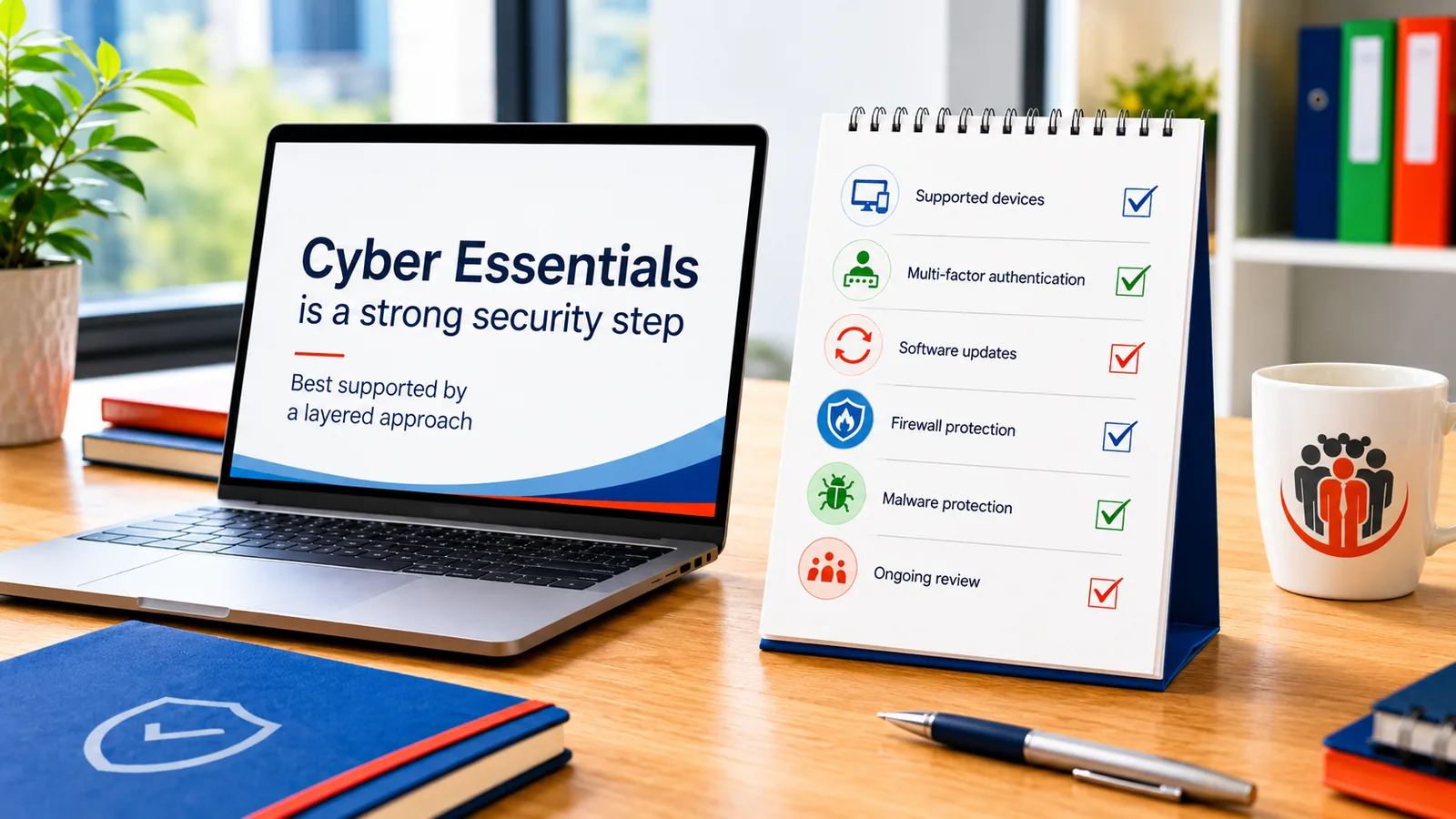
For small businesses and charities, that can be especially useful. Many smaller organisations do not need a complex security framework as their first step. They need to know whether the basics are actually in place: supported devices, secure accounts, software updates, malware protection, MFA, administrator controls, firewall settings, cloud services and mobile device use.
Cyber Essentials should not be treated as a guarantee that nothing can go wrong. It is a baseline. But a baseline matters because it turns cyber security from a vague concern into a set of practical checks that can be reviewed, improved and maintained.
Browse this guide
Use the links below to jump to the section most relevant to your question.
- Why people have mixed opinions about Cyber Essentials
- What Cyber Essentials is trying to achieve
- Why the questionnaire can be misunderstood
- What Cyber Essentials gets right
- Where Cyber Essentials can feel frustrating
- Why it matters for small businesses and charities
- Why certification is not the same as complete security
- The real cost is not always the certificate fee
- Lessons from our own certification and client work
- Why we still recommend Cyber Essentials
- Need help with Cyber Essentials readiness?
- Further Guidance and Support
Why people have mixed opinions about Cyber Essentials
Cyber Essentials attracts mixed reactions because it sits between security, compliance, insurance, procurement and practical IT management. That means different people approach it with different expectations.
A business owner may see it as a certificate needed for a tender or client requirement. A charity trustee may see it as part of governance and risk management. An IT manager may see the technical work behind the answers. A smaller organisation may see the questionnaire and assume the process is mainly administrative.
Those different perspectives explain much of the disagreement. Cyber Essentials can look simple because the visible part is a set of questions. The complexity appears when the organisation has to confirm that the answers are true across real devices, users, cloud services, accounts, mobile phones, firewalls and software.
Some criticism is reasonable. The process can feel repetitive. Some questions may feel awkward when applied to modern cloud services, personal devices, remote working or more advanced technical environments. But that does not make the scheme pointless. It means it should be approached honestly, with a clear understanding of what it can and cannot prove.
What Cyber Essentials is trying to achieve
Cyber Essentials is designed to help organisations protect themselves against common internet-based attacks. It does this by focusing on practical technical controls rather than asking every organisation to adopt a large security management framework.
The scheme concentrates on areas that are ordinary but important: firewalls, secure configuration, security updates, user access control and malware protection. These are not glamorous topics, but they are often where avoidable weaknesses begin.
For many small organisations, the value of Cyber Essentials is that it gives structure to the basics. It asks whether devices are supported, whether updates are applied, whether accounts are protected, whether administrator privileges are controlled, whether malware protection is active, and whether unsupported software has been removed.
Those questions matter because small organisations often grow their IT gradually. A laptop is added here, a cloud service there, a mobile phone is used for email, someone keeps administrator access because it is convenient, and old software remains installed because no one has reviewed it. Cyber Essentials creates a reason to stop and check those assumptions.
Why the questionnaire can be misunderstood
One of the most common misunderstandings is that Cyber Essentials is only a questionnaire. The questionnaire is the visible part, but the answers represent technical requirements.
It may be easy to read a question such as “are updates applied within 14 days?” or “is MFA enabled for cloud services?” and think the answer is simply yes or no. In practice, the organisation may need to check operating systems, firmware, applications, mobile devices, Microsoft 365, Google Workspace, administrator accounts, cloud services, user behaviour and support processes before that answer can be given honestly.
This becomes more important when there is more than one user. A sole trader may be able to check their own devices and accounts directly. A charity or small business with staff, contractors, shared devices, remote working and personal phones may need a more structured approach.
That can involve licensing, configuration, testing, user communication, device records, administrator access controls, MFA rollout, mobile device management and ongoing support. In those cases, Cyber Essentials readiness becomes an IT management project rather than a form-filling exercise.
The simple way to describe it is this: the form records the answers, but the work is making sure the answers are true.
What Cyber Essentials gets right
Cyber Essentials gets an important thing right: it forces attention onto practical controls that are often ignored until there is a problem.
Many organisations already believe they are reasonably secure. They may have antivirus installed, use Microsoft 365 or Google Workspace, and assume their devices are updated automatically. But assumptions are not the same as managed controls.
Cyber Essentials asks organisations to check. Are all devices in scope known? Are operating systems supported? Are applications updated? Are cloud services protected with MFA? Are administrator accounts separated from everyday use? Are firewall rules reviewed? Are mobile devices included where they access organisational data? Are unsupported applications removed?
These questions can feel repetitive, but the repetition has a purpose. It checks whether the same security idea is actually being applied across devices, software, firmware, accounts, cloud services and mobile devices.
That is why Cyber Essentials can be useful even when the organisation does not enjoy the process. It encourages better visibility, better documentation and better habits.
Where Cyber Essentials can feel frustrating
Cyber Essentials can feel frustrating when a simple requirement meets a real environment that is more complicated than the question suggests.
Mobile devices are a good example. If a personal phone accesses organisational email or cloud data, the organisation may need to understand whether that device is in scope, whether it is supported, whether it receives updates and whether access can be controlled. That can be difficult for organisations that rely on bring-your-own-device arrangements.
Cloud services can also create complexity. MFA may be available, but enforcing it properly across standard users, administrators, recovery accounts, third-party applications and legacy access methods may require careful configuration. Microsoft 365, Google Workspace and other cloud services can support strong controls, but someone still has to configure, test and maintain them.
Administrator access is another common area of tension. Separating everyday accounts from administrator accounts is sensible, but it can be disruptive if users are used to working with elevated privileges. In more mature environments, privileged access tools, conditional access, passwordless authentication or virtual desktop controls may not always fit neatly into a simple questionnaire answer.
This is where Cyber Essentials should be treated as a baseline rather than a complete description of security maturity. It is useful, but it does not remove the need for judgement.
Why it matters for small businesses and charities
Cyber Essentials can be particularly useful for small businesses and charities because these organisations often have limited time, limited budget and informal IT processes.
A small business may rely on a few laptops, a router, mobile phones, Microsoft 365, Google Workspace, a website, cloud storage and accounting software. A charity may also have trustees, volunteers, staff, funders, donor information, beneficiary data and shared responsibilities.
In these environments, cyber security can become nobody’s main job. Updates may be assumed. Password policies may be informal. Administrator access may not be reviewed. Staff may use personal devices. Cloud accounts may have grown over time. Old services may remain connected because no one has had time to check them.
Cyber Essentials helps by turning those assumptions into specific questions. It does not solve every security problem, but it gives managers and trustees a practical baseline to work from.
For charities, this can also support governance. Trustees do not need to understand every technical detail, but they do need confidence that reasonable controls are in place and that someone is responsible for maintaining them.
Why certification is not the same as complete security
Cyber Essentials certification should not be presented as a guarantee that an organisation is secure. It is a point-in-time assessment against a defined baseline.
That distinction matters. A certificate can show that an organisation has answered the assessment and met the requirements at the time of certification. It does not mean that every future attack will be prevented, that every system is fully protected, or that the organisation no longer needs ongoing IT management.
Security changes over time. New vulnerabilities are discovered. Software reaches end of life. Staff join and leave. Cloud services change. Devices are added. MFA methods need review. Backup arrangements need testing. Suppliers change their systems. A control that was correct during certification may become weak later if it is not maintained.
That is why Cyber Essentials should be treated as part of an ongoing security discipline. It is a useful baseline, but it does not replace backups, incident response planning, staff awareness, supplier review, monitoring, recovery testing or regular IT oversight.
The honest position is that Cyber Essentials reduces common risks. It does not remove all risk.
The real cost is not always the certificate fee
The cost of Cyber Essentials is often misunderstood because people focus on the certificate fee rather than the work needed to become ready.
For an organisation that already has supported devices, working updates, active malware protection, MFA on cloud services, separate administrator accounts and documented processes, the application may be relatively straightforward.
For an organisation with several staff, unmanaged personal devices, shared accounts, old software, unclear administrator access or inconsistent patching, the preparation can be more involved.
The extra cost may come from readiness work. This can include reviewing devices, checking software versions, configuring Microsoft 365 or Google Workspace, enforcing MFA, setting up mobile device management, separating administrator accounts, reviewing firewall rules, removing unsupported software, improving documentation and supporting users through the changes.
Microsoft Intune or another device management platform can be useful in some environments, but it is not just a switch to turn on. It may require licensing, administrator access, test devices, configuration policies, user communication, deployment planning, exception handling and ongoing support.
That does not mean every organisation needs a large project. It means the cost depends on the gap between the organisation’s current setup and the controls it needs to have in place.
Lessons from our own certification and client work
Evening Computing has maintained Cyber Essentials certification over several years and has also supported other organisations with the technical work needed to meet Cyber Essentials requirements.
That combination is useful because it shows both sides of the process. Our own certification reinforces the discipline involved in answering the questions carefully. Client work shows how those same questions become more complex when there are several users, shared systems, cloud services, mobile devices, contractors, trustees, staff availability and existing ways of working.
The questions can feel repetitive, but they force careful thinking. Even a small organisation needs to consider devices, cloud services, mobile phones, software, updates, administrator access, passwords, MFA, malware protection, firewalls and unsupported software.
In client environments, the practical work can include checking devices, reviewing Microsoft 365 or Google Workspace settings, enforcing MFA, separating administrator accounts, improving update processes, reviewing mobile device use, removing unsupported software, documenting controls and helping users adapt to new requirements.
We have seen organisations underestimate the time involved. In one case, a charity had a significant funding opportunity linked to achieving Cyber Essentials within a very short timescale. At first, the process appeared to be a set of questions that needed answering. The difficulty was that the questions represented technical requirements.
Before the answers could be given honestly, the organisation needed work across users, devices, cloud services, administrator access, MFA, updates, policies and staff availability. The project was approved, but it took longer than the initial expectation because some parts depended on end users being available and completing the desktop work.
The lesson was simple: Cyber Essentials is not only about completing a form. The form records the answers, but the work is making sure those answers are true.
Why we still recommend Cyber Essentials
We still recommend Cyber Essentials because it moves organisations in the right direction.
It is not perfect. It can be repetitive. It may not describe every modern security architecture neatly. It does not replace wider security planning. It does not guarantee that an organisation will not suffer a cyber incident.
But it does something valuable. It makes basic security visible. It asks questions that many organisations should be able to answer but often cannot answer confidently without checking.
For small businesses and charities, that can be a useful starting point. It can help managers, trustees and owners move from “we think this is covered” to “we have checked this, documented it and know what needs attention”.
Cyber Essentials is best understood as a baseline. Once that baseline is in place, an organisation can build further with better backups, staff awareness, incident response planning, supplier checks, monitoring, device management and wider security review.
Our view is that Cyber Essentials should not be oversold, but it should not be dismissed. It is a practical way to start asking better questions about security.
Need help with Cyber Essentials readiness?
A guide can explain why Cyber Essentials matters and what the certification is trying to check, but some situations need the actual devices, accounts, cloud services, firewall settings, update processes and user access arrangements to be reviewed.
Evening Computing can help small organisations, charities and professionals understand what may need attention before applying for Cyber Essentials. This can include reviewing supported devices, software updates, Microsoft 365 or Google Workspace settings, MFA, administrator accounts, mobile device use, malware protection, firewall rules, unsupported software and practical documentation.
We do not act as a Cyber Essentials certification body or assessor. Our role is to help with the practical IT readiness work, technical implementation and ongoing support that may be needed before the organisation can answer the questions accurately.
Further Guidance and Support
This guide forms part of a broader layered security approach. For structured guidance on security and resilience planning, see our Security and Resilience page.
For information about practical implementation and ongoing support, you can review our IT services and local IT support coverage across London, Hertfordshire and Essex.
Author
Elías Sánchez
IT Support Consultant
Evening Computing
London, United Kingdom
This guide was prepared by Elías Sánchez with research and drafting assistance from AI tools. All technical content has been reviewed and adapted for clarity and accuracy.
Last reviewed
15 July 2026