
IT Guides and Resources for Small Businesses
Practical IT guides explaining how technology problems and security risks occur. These guides cover common issues affecting websites, email systems, cloud services, and local networks used by organisations, professionals, and individuals.
Each guide focuses on understanding how systems normally behave, why certain problems occur, and what realistic steps help restore stability or reduce risk.
The guides are written in clear language to help explain the kinds of issues businesses and professionals often encounter when working with shared infrastructure, email platforms, cloud services, or network configurations.
Where problems affect multiple users or shared systems, structured IT support may be required rather than isolated troubleshooting.
Explore how structured IT support and infrastructure services support business-critical systems across London, Hertfordshire and Essex.
Our guides explain common IT problems in plain language.
If you are reviewing support options in a specific area or exploring the broader services we provide, you can view the towns we cover and our full services framework below.
Local IT Support for Businesses Across London, Hertfordshire and Essex
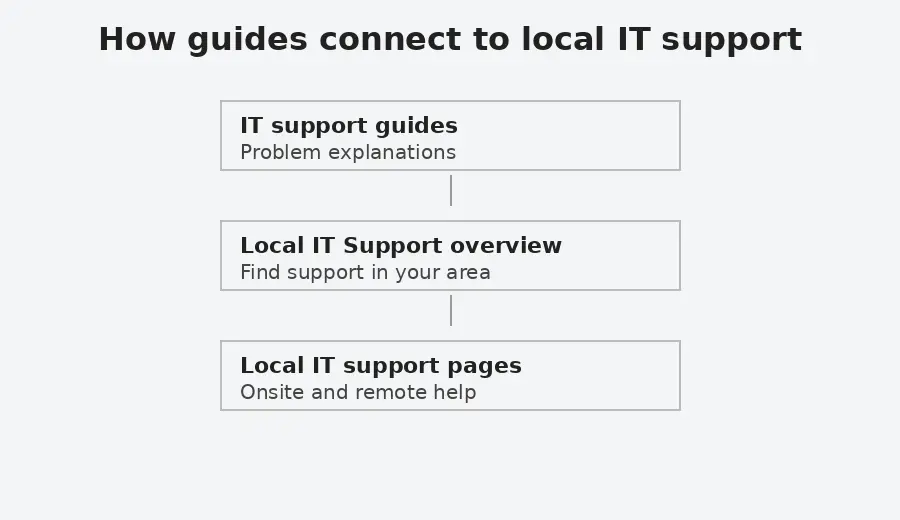
This diagram shows how practical IT issues can connect to local support and, where necessary, to broader IT support for shared business systems.
When a Guide Becomes a Wider IT Issue
Many technical issues begin with a single symptom but may relate to wider configuration, authentication, network or infrastructure dependencies.
When this happens, it can indicate that responsibility extends beyond one device and into shared systems that require ongoing oversight.
Understanding the types of IT issues covered in these guides
The guides below are grouped into several areas that reflect common types of technology issues encountered when supporting organisations, professionals, and individuals. These areas include email systems, website platforms, network connectivity, security risks, and data protection.
Grouping the guides in this way makes it easier to explore related topics and understand how different technical systems interact. Many issues that appear to affect a single device may actually involve wider infrastructure such as email authentication systems, cloud services, DNS configuration, or network connectivity.
Email and Communication Systems
Guides related to email platforms, Outlook behaviour, authentication policies, and collaboration tools.
Guides:
Email not working for your business. What to check first
A clear, non technical guide explaining why business email stops working and what to check before making changes. Helps identify whether the issue is local, account related, or system wide.
Email validation and security explained
Plain English explanation of SPF, DKIM, DMARC, and MTA-STS, with guidance on when to review email security settings.
Outlook not sending emails but webmail works
Explains why Outlook can stop sending or receiving emails even when webmail works correctly, and how to recognise when the issue is local to one device rather than the email service itself.
Outlook calendar and contacts do not sync to iCloud
If Outlook calendar and contacts are not syncing with iCloud, this guide explains common causes, including error 0x800706ba, safe checks to try first, and when help is needed.
Printer or scanner cannot send email using Google Workspace
Explains why printers and scanners often stop sending email when using Google Workspace, following security changes. Outlines the available options at a high level and explains when assessment is needed, without step by step configuration.
Microsoft Teams issues for external users and guests
Explains common limitations affecting external users and guests in Microsoft Teams, including recordings and file access.
Solution to the Disappearing Bullet Points in Microsoft Outlook
Fixes an Outlook issue where second level or nested bullet points disappear after sending emails.
Excel Asking You to Save With a Different Name in OneDrive or SharePoint
Why Excel prompts you to save a shared file with a different name in OneDrive or SharePoint, and how to restore normal collaboration safely.
Security and Online Threats
Guides explaining common security risks, scams, malware, and account compromise scenarios.
Guides:
Are passkeys and security keys the same thing?
This guide explains the difference between passkeys and security keys in plain language. Covers synced passkeys, hardware bound passkeys, YubiKeys, and why the terms are often confused.
Fake CAPTCHA Malware on WordPress Websites Explained
This guide explains how fake CAPTCHA malware appears on compromised WordPress websites, how it attempts to trick visitors into running malicious commands, and what practical security controls reduce the risk of recurrence. It includes immediate containment steps and longer-term hardening measures based on real-world incident patterns.
WhatsApp security guide. How to protect your account and device
Explains practical steps to reduce the risk of account takeover, protect sensitive messages, and limit exposure if a phone is lost or stolen.
WhatsApp Verification Code Scam Explained
Explains why attackers request WhatsApp verification codes, how the scam works, and what steps to take if you receive or accidentally share a code.
How to Check if Someone Is Using WhatsApp Web on Your Account
Explains how to check whether WhatsApp Web or desktop sessions are connected to your account and how to safely log out of devices you do not recognise.
How to Check if Your WhatsApp Account Has Been Hacked
Explains the common signs that a WhatsApp account may have been compromised and how to confirm whether another device may be accessing your messages.
Stop People Adding You to WhatsApp Groups
Explains why people may add you to WhatsApp groups without permission and how to control group invitations using WhatsApp privacy settings.
Your Phone Number Was Registered With WhatsApp on a New Device
Explains why WhatsApp may report that your phone number has been registered on a new device, what situations normally trigger this message, and how to confirm whether your account remains secure.
How to check if a download is safe when everything looks legitimate
A practical guide using the recent fake 7-Zip installer case to explain what you can realistically check and how to reduce risk if detection lags.
Websites, WordPress and Online Services
Guides covering website security, hosting behaviour, and web infrastructure.
Guides:
WordPress Hardening for Small Organisations
Explains the practical security controls that help reduce risk on WordPress websites, including correct file permissions, access controls, configuration settings, and monitoring. Outlines what to verify in a typical hosting environment and how these measures support ongoing website stability.
Wordfence Security Settings Review
Explains how to review essential Wordfence security settings in a structured way. Covers firewall configuration, login protection, file integrity monitoring, and alert discipline within a layered security approach.
WordPress security headers explained. How to add them safely
Learn how browser enforced security headers work, how to implement them safely in WordPress, and how to verify they are active using Chrome DevTools.
sprites core SVG 404 error in WordPress and Divi
Explains why a sprites core SVG 404 error may appear in browser consoles or audit reports on WordPress and Divi sites, what it means in practice, and when action is required.
Why a page is missing from the Yoast sitemap
Explains why a published WordPress page can be missing from the Yoast XML sitemap, and the canonical URL detail that is commonly overlooked.
Bing reports HTTP 400–499 errors on my website
Why Bing can report HTTP 400–499 errors even when a site works normally, how Cloudflare settings like Browser Integrity Check can affect scans, and how to verify results safely.
Networks, Internet Connectivity and Infrastructure
Guides explaining how networks and internet infrastructure affect systems.
Guides:
Why DNSSEC matters and how DNS attacks can redirect internet traffic
Explains how the Domain Name System (DNS) directs internet traffic and why attackers sometimes attempt to manipulate DNS responses. The guide outlines how DNS poisoning and related attacks can redirect users to fraudulent systems and how DNSSEC introduces cryptographic verification to help ensure DNS answers are authentic.
Laptop connected to WiFi but no internet
Explains why a laptop can show a WiFi connection while internet access is unavailable, and how to understand whether the problem is local, network related, or external.
Understanding internet access in offices, hotels, and public places
A plain-English guide explaining office internet, mobile hotspots, public Wi-Fi risks, and how to connect devices more safely.
Fixing Paramount Plus playback issues when using NextDNS
If Paramount Plus does not work on an LG TV, Sky TV box, or web browser while using NextDNS, this guide explains why and how to restore streaming without disabling DNS protection.
ChatGPT not working in Firefox. What to check and what helps
Why ChatGPT may stop working in Firefox, common symptoms, and realistic workarounds without weakening security.
How to access CCTV from a computer or web browser
If you can view your CCTV on your phone but not on a computer, this guide explains why that happens and what access options are realistically available today.
Devices and Operating Systems
Guides explaining common issues affecting computers, operating systems, and device performance, including upgrade limitations, system behaviour, and realistic options when devices reach the end of their supported lifecycle.
Guides:
Windows 10 is no longer supported. What are your options?
Explains what Windows 10 end of support means, why some devices cannot upgrade to Windows 11, and what supported options exist.
Computer running slow. What actually helps
Explains what Windows 10 end of support means, why some devices cannot upgrade to Windows 11, and what supported options exist.
How to move to a new Android phone without losing data
Explains how to move to a new Android phone without losing important data. Covers storage checks, cable transfer, SMS migration issues, WhatsApp backup and restore, Google Discover on Samsung phones, and what to review before converting from a physical SIM to an eSIM.
Data Protection and Backup
Guides explaining how data loss occurs and how to prevent it.
Guides:
Cloud Storage vs Backup. Why Sync Is Not Backup
Explains the difference between synchronisation and proper backup, how deletion and ransomware can propagate in cloud storage, and why independent versioned backup matters.
Reviewing a Technical Issue
If a technical issue appears to affect shared systems or operational continuity, you can provide details so we can assess whether structured support is required.